GPS Map Camera: The Complete Guide to Geotagging Your Photos
GPS Map Camera is a powerful mobile application available on Android (Google Play) and iOS (App Store) that transforms your smartphone camera into a professional geolocation documentation tool. It automatically embeds GPS coordinates, maps, timestamps, weather data, and other contextual information directly onto your photos at the moment of capture — no post-editing required.
Whether you are a traveler preserving memories, a field worker documenting site conditions, a real estate professional, or simply someone who wants to know exactly where and when every photo was taken, GPS Map Camera offers a reliable, authentic, and tamper-proof solution.

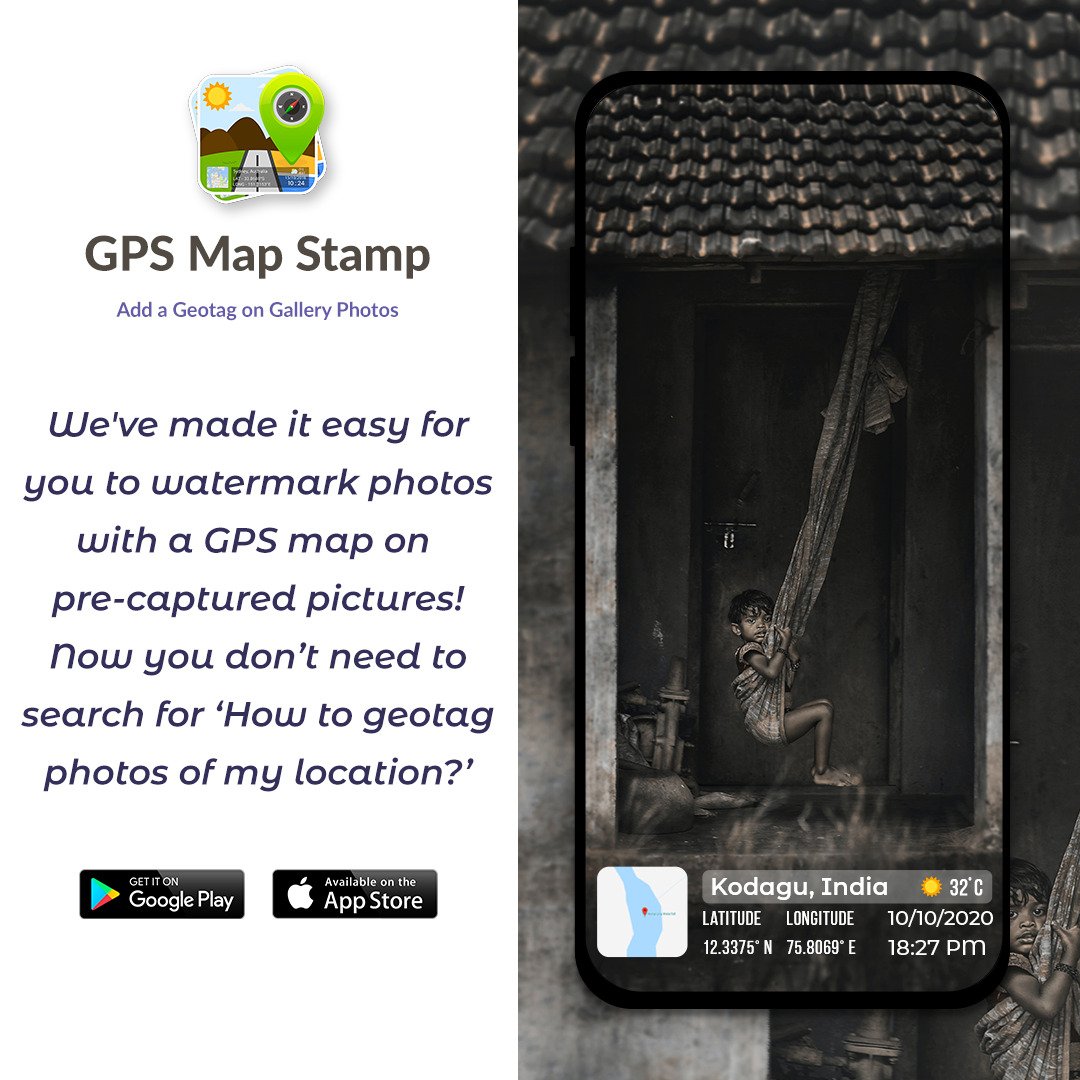
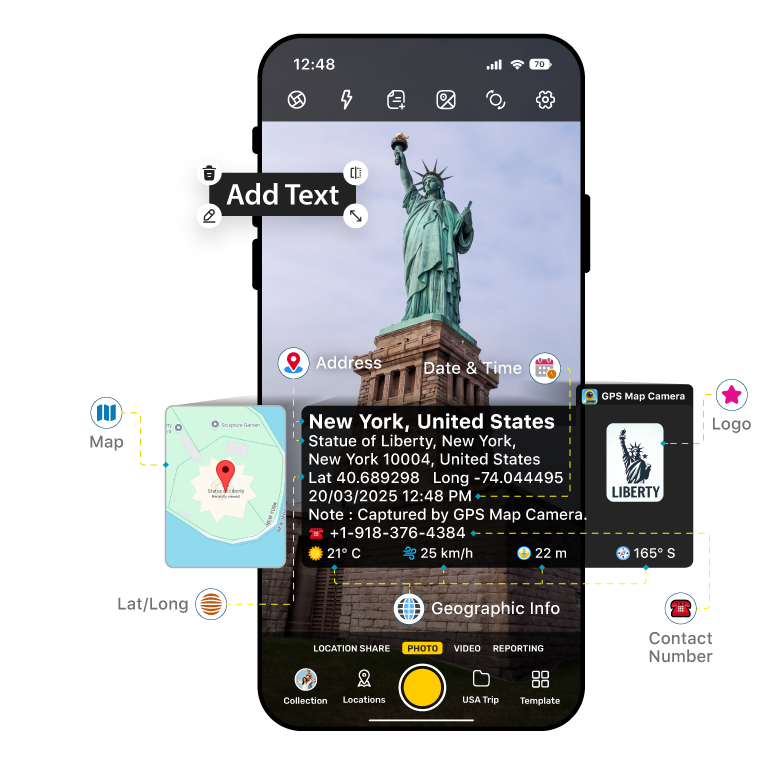
A sample photo stamped with GPS coordinates, address, date/time, and a mini map overlay.
What Is GPS Map Camera?
At its core, GPS Map Camera is a geotagging camera app that adds a visible, informative stamp to every photo you take. Unlike standard smartphone cameras that store GPS metadata hidden in EXIF data (which can be stripped or ignored), GPS Map Camera burns location information visibly onto the image itself, making it immediately readable and verifiable by anyone who sees the photo.
The app uses real-time GPS data and server-synchronized time to ensure the accuracy and authenticity of every stamp. Crucially, this data cannot be manually altered after capture, making each image a trustworthy, verifiable record of where you were and when.
Key Features
1. Automatic GPS Stamping
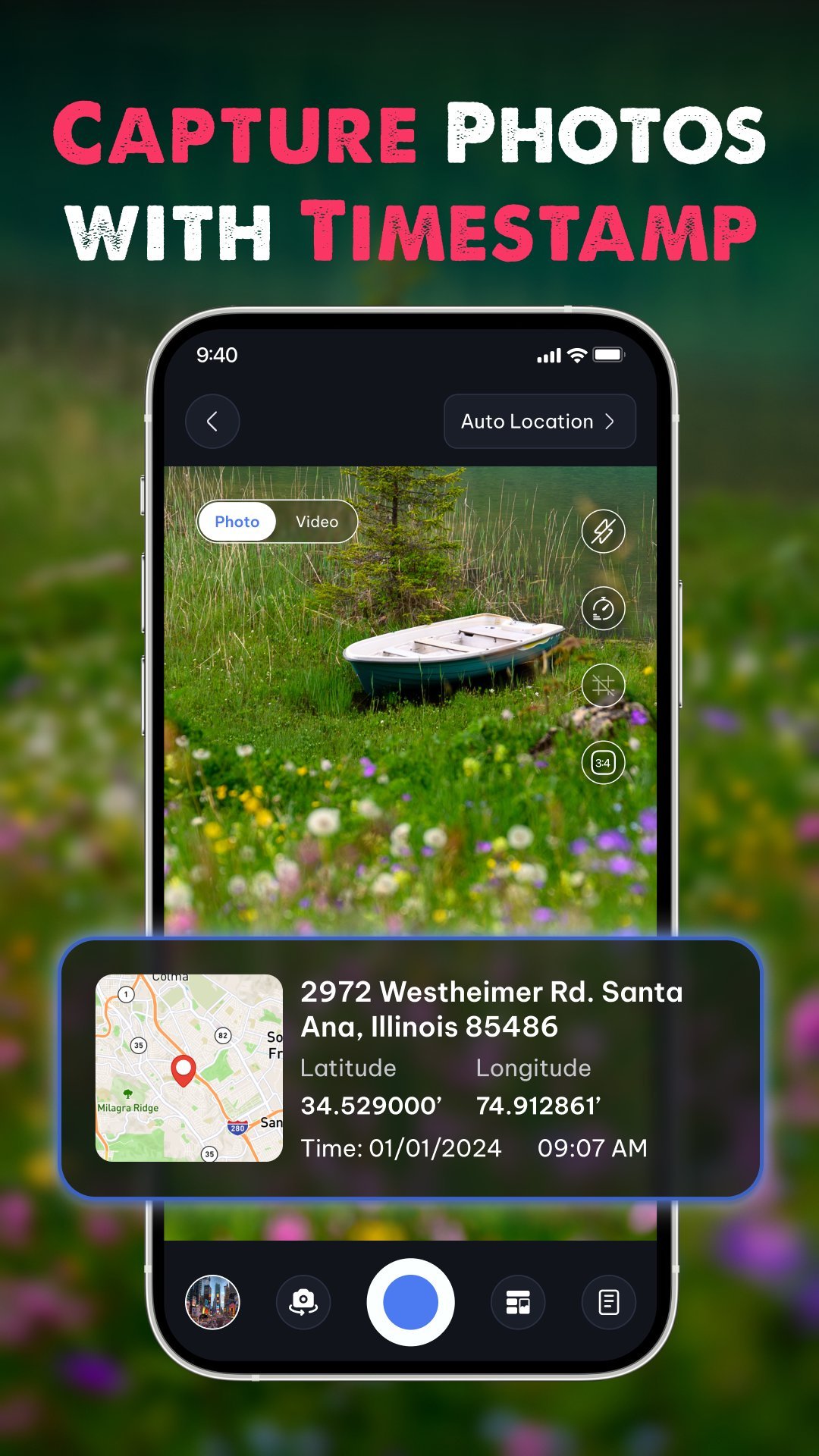
The app's primary feature is its ability to automatically embed GPS location data directly onto photos. Each stamp can include:
- Latitude & Longitude – in decimal or DMS (Degrees, Minutes, Seconds) format
- Full address – street, city, state, and country
- Date & Time – in multiple customizable formats
- Altitude – your elevation above sea level
- A mini map overlay – showing your precise location on a map tile\

2. Multiple Map Modes
GPS Map Camera supports several map display styles so you can choose the most meaningful visual context for your photos:
- Normal Map – standard street/road view
- Satellite – aerial imagery for precise location context
- Terrain – topographical view, ideal for outdoor and hiking use
- Hybrid – combines satellite imagery with road labels
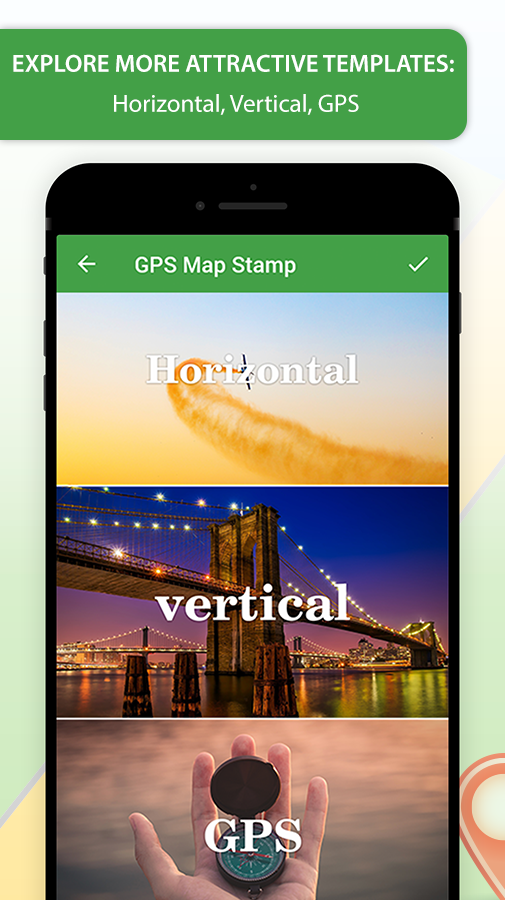
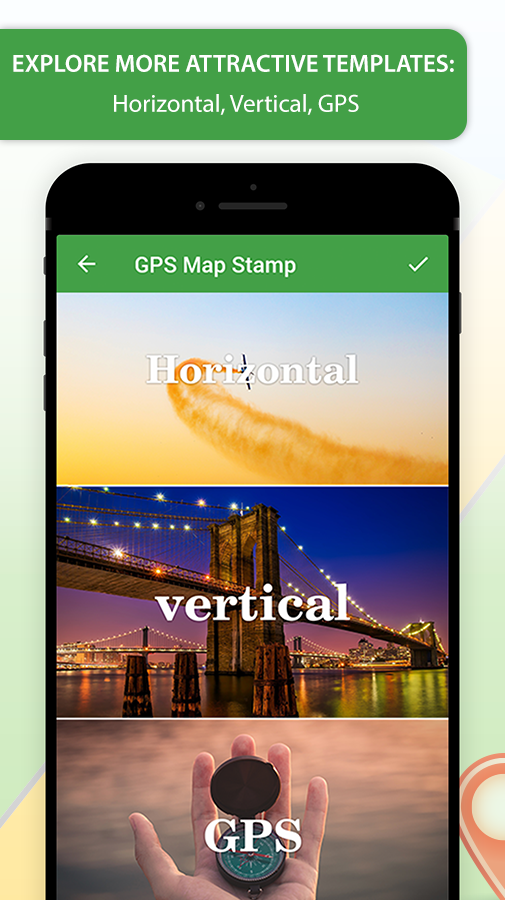
3. Classic and Advanced Templates
The app offers two main stamping modes to suit different needs:
- Classic Template – A clean, minimal stamp that automatically fetches and displays location, date, and time with no manual setup required.
- Advanced Template – A fully customizable stamp where you can control every element: map type, coordinate format, compass, weather data, logos, notes, hashtags, and more.
4. Weather & Environmental Data
Beyond location, GPS Map Camera can overlay live environmental data onto your images:
- Temperature – in °C or °F
- Wind speed & direction
- Humidity level
- Atmospheric pressure
- Magnetic field reading
- Compass bearing
This makes the app especially valuable for scientific fieldwork, outdoor expeditions, and environmental documentation.
5. Fully Featured Built-in Camera
GPS Map Camera is not merely a stamp-adding tool — it functions as a complete, professional camera app with the following controls:
- Grid overlay for rule-of-thirds composition
- Adjustable aspect ratios
- Front & rear (selfie) camera support
- Flash control
- Manual focus
- Mirror mode
- Self-timer
- Scene modes – including beach, snow, sunset, night portrait, and HDR
- Capture sound control
6. Customizable Stamp Appearance
Every aspect of the location stamp can be tailored to your needs or brand:
- Stamp size – resize for prominence or subtlety
- Stamp color – choose colors that contrast well or match your brand identity
- Map position – place the mini map on the left or right of the stamp
- Map scale – zoom in for street-level detail or zoom out for a broader geographic view
- Custom logo – upload your company or personal watermark logo
- Custom text & notes – add project names, descriptions, or any relevant notes
- Hashtags – embed hashtags directly for social media sharing
- Plus Codes – include Google's Plus Codes for precise location sharing in remote areas

7. Multiple Output Formats
Photos and videos stamped with GPS Map Camera can be saved in a variety of formats to suit different workflows:
- JPG – standard compressed image
- PNG – lossless image with transparency support
- PDF – ideal for formal reports and documentation
- GIF – for animated or lightweight sharing
- MP4 – for video capture with GPS data
8. Smart File Naming
GPS Map Camera automatically names your photo files using the location, date, and time of capture. This eliminates manual file organization and makes it easy to sort, search, and reference photos in reports or archives. Files can be named using address, latitude/longitude, altitude, date, time, or custom notes.
9. Offline Geotagging
An important feature for remote workers and adventurers: basic geotagging works without an internet connection. Your device's GPS hardware provides coordinate data even in areas with no cell or data coverage, ensuring you never miss a stamped photo on a remote expedition.
10. Quick Share & Email Integration
GPS Map Camera includes a Quick Share feature that embeds a Google Maps location link directly into every shared photo. When the Email option is enabled, your email app opens automatically after each capture — pre-filled with the stamped photo attached and location details in the body — so you can share verified proof photos in a single tap.
11. Reporting Tag Feature
For professional use cases, the Reporting Tag feature turns each stamped photo into a mini progress report. It is ideal for:
- Site inspections
- Delivery confirmations
- Maintenance checks
- Infrastructure audits
Each image becomes a self-contained, shareable document that proves where you were, what you photographed, and when it happened.
12. QR Code Scanner
The app also includes a built-in QR code scanner for quick and easy scanning of codes while in the field — without switching to a separate app.
Who Is GPS Map Camera For?
GPS Map Camera is trusted by a wide range of professionals and everyday users worldwide:
| User Group | Primary Use Case |
|---|---|
| Real Estate & Construction Professionals | Document site progress, record inspection findings, and provide verifiable proof of property conditions. |
| Delivery & Logistics Workers | Confirm deliveries with geo-stamped photos that prove the package arrived at the correct location and time. |
| Field Engineers & Surveyors | Record site measurements, infrastructure status, and geographic data with precision. |
| Travelers & Explorers | Preserve travel memories with exact location and time context embedded in every photo. |
| Bloggers & Content Creators | Enhance travel, food, and lifestyle content with authentic location tagging. |
| Hikers & Outdoor Enthusiasts | Track routes, log waypoints, and document terrain with altitude and compass data. |
| Event Photographers | Add live location stamps to weddings, festivals, and celebrations for richer memories. |
| Insurance & Legal Professionals | Capture tamper-proof photographic evidence with verifiable time and location stamps. |
| Families & Everyday Users | Keep a visual diary of where family moments happened, organized automatically by location and date. |
Stamp Data at a Glance
The following data points can be included in a single GPS Map Camera stamp, depending on your template and settings:
- Latitude & Longitude (decimal or DMS format)
- Full street address
- Mini map tile (Normal / Satellite / Terrain / Hybrid)
- Date & Time (multiple format options)
- Altitude
- Accuracy (GPS signal precision indicator)
- Compass direction
- Magnetic field
- Temperature (°C or °F)
- Wind speed & direction
- Humidity
- Atmospheric pressure
- Plus Code (Google Open Location Code)
- Custom text / project notes
- Custom logo / watermark
- Hashtags
- Photo number
- Time zone
Authenticity & Tamper-Proof Design
A key differentiator of GPS Map Camera is its commitment to data authenticity. The app uses external real-time GPS data and server-synchronized time to stamp photos. Unlike apps that allow users to manually input or alter location data after the fact, GPS Map Camera does not permit post-capture modification of stamp data.
This makes it especially valuable in professional and legal contexts where photo evidence must be credible and defensible — such as insurance claims, construction disputes, delivery verification, and compliance documentation.
Pricing & Availability
GPS Map Camera is available as a free download with core features included at no cost and no limit on the number of photos you can capture. A Premium subscription is available to unlock advanced customization options, remove advertisements, and access additional features. Premium plans are typically offered on:
- 6-Month Plan
- 1-Year Plan (auto-renewing unless cancelled at least 24 hours before the renewal date)
The app is available on the following platforms:
- Android: Google Play Store
- iOS (iPhone & iPad): Apple App Store
- Windows: Microsoft Store
Related Resources
For further information about GPS Map Camera and geotagging technology, explore the following:
- Official GPS Map Camera Website – Features overview, FAQs, and support contact.
- GPS Map Camera Features Page – Detailed breakdown of every feature available in the app.
- Google Maps – The mapping service integrated into GPS Map Camera for location sharing links.
- Google Plus Codes – Learn about the open location code system supported by GPS Map Camera.
- How GPS Works (Explain That Stuff) – A beginner-friendly explanation of the Global Positioning System technology underlying the app.
- GPS Map Camera on Uptodown – APK download and independent reviews.
Summary
GPS Map Camera is far more than a simple photo app — it is a complete mobile documentation system that merges the power of GPS, weather sensing, map visualization, and camera technology into one intuitive tool. Its tamper-proof, automatically stamped images provide genuine peace of mind for professionals who need verifiable records, while its rich customization options and travel-friendly templates make it equally appealing to travelers and everyday users who want their memories to carry the full story of where and when they were captured.
With unlimited free photo captures, support for a wide variety of data overlays, offline functionality, and multi-platform availability, GPS Map Camera stands as one of the most comprehensive and trustworthy geotagging solutions available on the market today.